

Table Notes - Mobile Excel
Contains adsIn-app purchases

4.4star
15.7K reviews
1M+
Downloads

Everyone
info




About this app
Stop struggling with messy notes and complicated desktop spreadsheets on your small screen. Table Notes - Mobile Excel is the easiest way to organise your life and business on the go.
We built Table Notes for professionals who feel the chaos of disorganised data. Whether you are tracking expenses, managing a team, or keeping an inventory list, our app gives you the structure you need with the simplicity you want.
WHY CHOOSE TABLE NOTES?
✅ Keep Business Records Organised
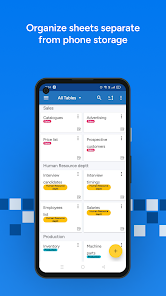
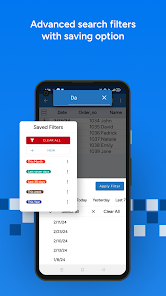
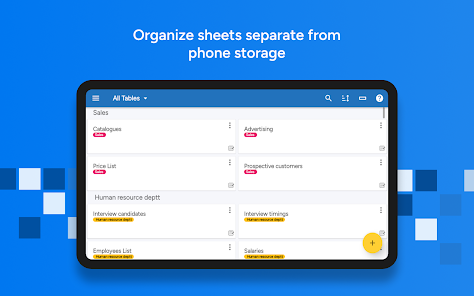
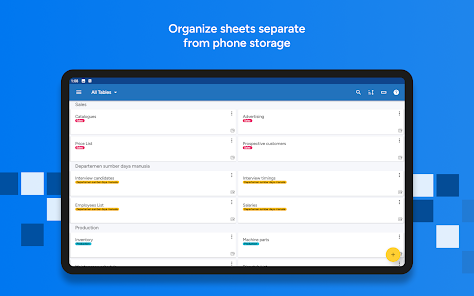
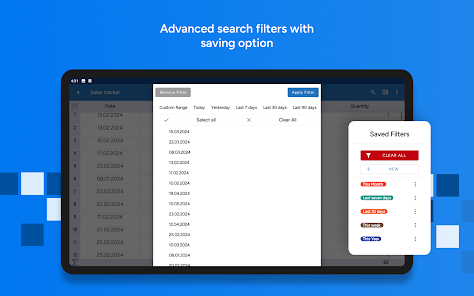
Don't lose track of important data. Store everything from client details to product inventories in clean, searchable tables.
✅ Simplify Data Entry
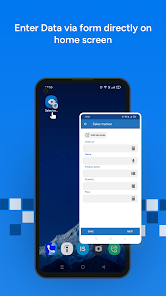
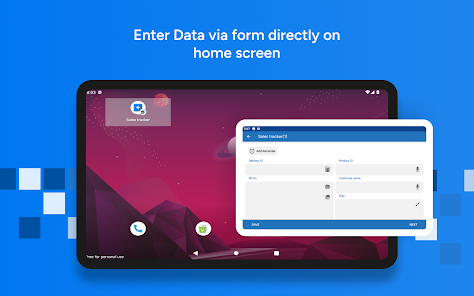
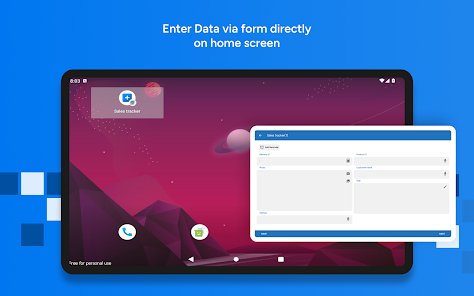
Forget typing everything out. Use our smart input tools:
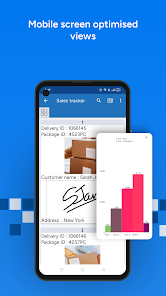
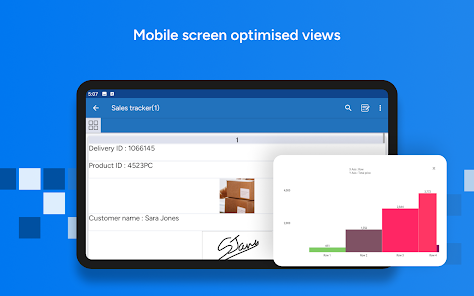
📷 Photos: Snap a picture of a receipt or product.
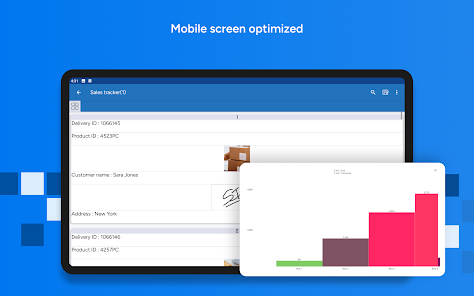
✒️ Signature: Get clients to sign directly on screen.
🔊 Audio: Record voice notes into your spreadsheet.
📍 Location: Drop a pin via Google Maps.
✅ Look Professional
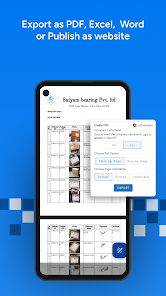
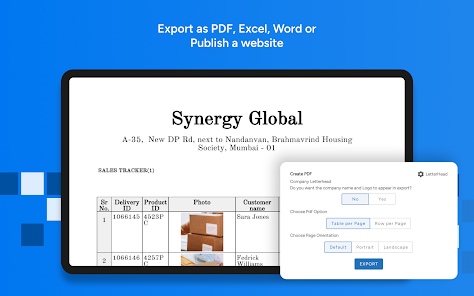
Impress your clients. Convert your mobile data into a polished PDF report complete with your company letterhead, logo, and footer. Send it via email or WhatsApp instantly.
✅ Work Without Limits
No internet? No problem. Work completely offline. We sync your data to the cloud the moment you reconnect, ensuring you never lose a file.
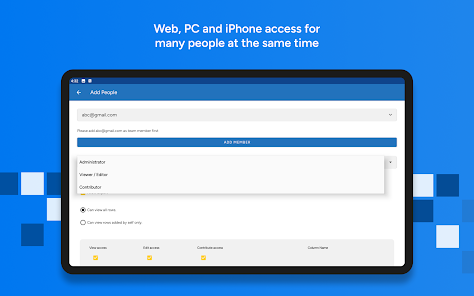
✅ Collaborate with Your Team
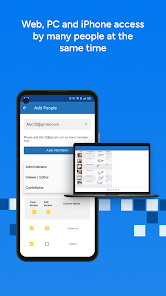
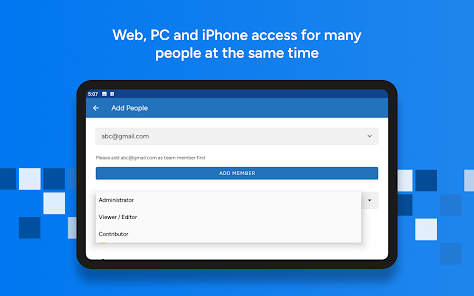
Bridge the gap between the field and the office. Your team can collect data on mobile while you view it instantly on your PC via https://www.tablenotes.net.
Perfect For:
Restaurant Owners: Waiters take orders that update instantly in the kitchen.
Doctors: Maintain patient databases and reports.
Freelancers: Track projects and expenses.
Everyone: From students making timetables to taxi drivers logging trips.
Get Started Today:
Join thousands of users who have moved from chaos to clarity.
Important Links:
Help & FAQ: https://www.support.tablenotes.net
Twitter: http://twitter.com/table_notes
Rate Us: If you love the app, please leave a 👍!
We built Table Notes for professionals who feel the chaos of disorganised data. Whether you are tracking expenses, managing a team, or keeping an inventory list, our app gives you the structure you need with the simplicity you want.
WHY CHOOSE TABLE NOTES?
✅ Keep Business Records Organised
Don't lose track of important data. Store everything from client details to product inventories in clean, searchable tables.
✅ Simplify Data Entry
Forget typing everything out. Use our smart input tools:
📷 Photos: Snap a picture of a receipt or product.
✒️ Signature: Get clients to sign directly on screen.
🔊 Audio: Record voice notes into your spreadsheet.
📍 Location: Drop a pin via Google Maps.
✅ Look Professional
Impress your clients. Convert your mobile data into a polished PDF report complete with your company letterhead, logo, and footer. Send it via email or WhatsApp instantly.
✅ Work Without Limits
No internet? No problem. Work completely offline. We sync your data to the cloud the moment you reconnect, ensuring you never lose a file.
✅ Collaborate with Your Team
Bridge the gap between the field and the office. Your team can collect data on mobile while you view it instantly on your PC via https://www.tablenotes.net.
Perfect For:
Restaurant Owners: Waiters take orders that update instantly in the kitchen.
Doctors: Maintain patient databases and reports.
Freelancers: Track projects and expenses.
Everyone: From students making timetables to taxi drivers logging trips.
Get Started Today:
Join thousands of users who have moved from chaos to clarity.
Important Links:
Help & FAQ: https://www.support.tablenotes.net
Twitter: http://twitter.com/table_notes
Rate Us: If you love the app, please leave a 👍!
Updated on
Safety starts with understanding how developers collect and share your data. Data privacy and security practices may vary based on your use, region, and age. The developer provided this information and may update it over time.


Ratings and reviews
4.4
14.4K reviews

pink
- Flag inappropriate
- Show review history
April 10, 2025
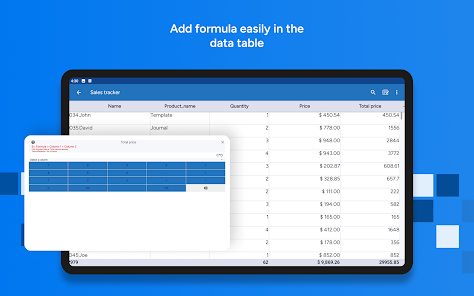
The app is easy and quick to use, with not too many distracting bells and whistles. The one thing I needed to do, though, was to make a long list of numbers (column 2) with labels (column 1) and be able to add up the numbers. But you can't add different rows together, only columns. You can get around this by effectively rotating the table, or switching the axes, but this is super inconvenient to scroll through for long lists of numbers. This is most of what I use spreadsheets for.
72 people found this review helpful

Jonathan Noorman
- Flag inappropriate
August 28, 2022
Great app and flexible. One thing I would like is the ability to draw on a photo I just took and added to the table. Using the draw column type seems to work but it's very basic, can't change color of paint. The problem though, and this is a major flaw- you cannot edit a table after making one. Absolutely ridiculous. Not sure if that's a limitation of the free version but man is that frustrating.
49 people found this review helpful

Denise Perry
- Flag inappropriate
July 31, 2021
The only feature I want that this seems to be lacking is the ability to link 2 columns together so that they appear side-by-side in card format (so if you deal with stats of a character, you can see numbers next to the statistics they are relevant to without needing a column for each statistic). App isn't perfect, and some things are easier on desktop while others are easier on the phone, but it serves the purpose I downloaded it for.
103 people found this review helpful
Solution Developers
August 1, 2021
Thanks for your review. We have not clearly understood your comment it on linking two columns to display them side by side in the cardview.
can you explain it using a screen shot so that we can understand clearly and resolve the issue?
+91-9833779454
[email protected]
What’s new
Error resolved - Monthly subscriber was not able to buy 3 year plan
Sync images of tables
Exporting rows to other table copies images too
Previous Versions
Table owner or creator can not be removed by other administrators or collaborators
Resolves the error in filter of the date column
App support
phone
Phone number
+919833779454
About the developer
SOLUTION DEVELOPERS
1103, Raja Tower, Asha Nagar, Phase-1
Mulund West
Mumbai, Maharashtra 400080
India
+91 98337 79454


