Pocket Paint: draw and edit!
4.4star
30.2K reviews
1M+
Downloads

Everyone
info


About this app
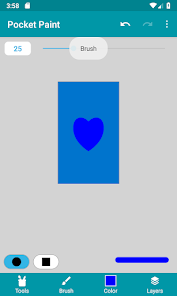
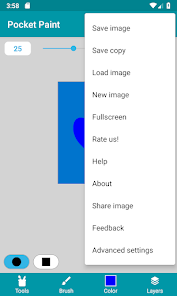
Pocket Paint is a drawing app that allows you to edit graphics, images, and photos, make parts transparent, zoom in up to single pixel level, and much more! Together with Catrobat’s app Pocket Code it also allows you to easily create animations, apps, and games directly on your smartphone!
Images are saved under Photos and Gallery.
Features:
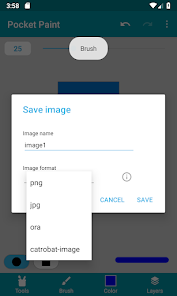
-- Save images as .jpg (compressed), .png (lossless, with transparency), or .ora (keeping layer information)
-- Layers (including moving up and down or merging them)
-- Stickers from the Catrobat family images and more (only for this it accesses the internet)
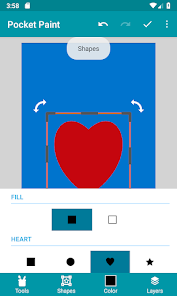
-- Tools: brush, pipette, stamp, circle/ellipse, cropping, flipping, zooming, line tool, cursor, fill tool, rectangle, eraser, moving, rotation and much more!
-- Easy import of images and graphics
-- Full screen drawing
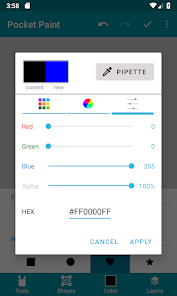
-- Color palette or RGBa values
Feedback:
If you find a bug or have a good idea to improve Pocket Paint, write us an email or go to the Discord server https://catrob.at/dpc and give us feedback in the "🛑app" channel.
Community:
Get in touch with our community and check out our Discord server https://catrob.at/dpc
Help:
Visit our wiki at https://wiki.catrobat.org/
Contribute:
a) Translation: Want to help us translate Pocket Paint into your language? Please contact us via [email protected] telling us for which language you would be able to help.
b) Other contributions: If you can help us in other ways, please check out https://catrob.at/contributing --- We are all pro-bono unpaid volunteers working in our free time on this not-for-profit free open source project aiming at increasing computational thinking skills in particular among teenagers all around the world.
About us:
Catrobat is an independent non-profit project creating free open source software (FOSS) under AGPL and CC-BY-SA licenses. The growing international Catrobat team is entirely composed of volunteers. The results of many of our subprojects will be made available in the months and years to come, e.g., the ability to control more robots, or to create music in an easy and fun way.
Images are saved under Photos and Gallery.
Features:
-- Save images as .jpg (compressed), .png (lossless, with transparency), or .ora (keeping layer information)
-- Layers (including moving up and down or merging them)
-- Stickers from the Catrobat family images and more (only for this it accesses the internet)
-- Tools: brush, pipette, stamp, circle/ellipse, cropping, flipping, zooming, line tool, cursor, fill tool, rectangle, eraser, moving, rotation and much more!
-- Easy import of images and graphics
-- Full screen drawing
-- Color palette or RGBa values
Feedback:
If you find a bug or have a good idea to improve Pocket Paint, write us an email or go to the Discord server https://catrob.at/dpc and give us feedback in the "🛑app" channel.
Community:
Get in touch with our community and check out our Discord server https://catrob.at/dpc
Help:
Visit our wiki at https://wiki.catrobat.org/
Contribute:
a) Translation: Want to help us translate Pocket Paint into your language? Please contact us via [email protected] telling us for which language you would be able to help.
b) Other contributions: If you can help us in other ways, please check out https://catrob.at/contributing --- We are all pro-bono unpaid volunteers working in our free time on this not-for-profit free open source project aiming at increasing computational thinking skills in particular among teenagers all around the world.
About us:
Catrobat is an independent non-profit project creating free open source software (FOSS) under AGPL and CC-BY-SA licenses. The growing international Catrobat team is entirely composed of volunteers. The results of many of our subprojects will be made available in the months and years to come, e.g., the ability to control more robots, or to create music in an easy and fun way.
Updated on
Safety starts with understanding how developers collect and share your data. Data privacy and security practices may vary based on your use, region, and age. The developer provided this information and may update it over time.

No data shared with third parties
Learn more about how developers declare sharing

No data collected
Learn more about how developers declare collection

Committed to follow the Play Families Policy
Ratings and reviews
4.4
27.1K reviews

Jesse Mathis
- Flag inappropriate
February 26, 2026
Some problems with basic UI and lag/slowdown. Things like transform being awkward because you need to use two fingers to move around the image but over half of the image is covered. And for whatever reason, it takes several minutes to save your image. Not sure why. It's good enough for what I need it for (occasional light image editing, like cropping or compiling images with notes) but it's not great. I hope it gets improved with time, because the foundation is fine.
1 person found this review helpful

Sol Toder
- Flag inappropriate
January 16, 2025
Overall a very capable and intuitive painting app. With that said, watch out! Save early and save often. More than once I have had the app crash so badly that it refused to open, even after restarts, until I went into settings and wiped its storage completely. Also the undo-redo gets very slow after ten or so layers. The painting features themselves are very good and I've produced some pieces I'm very happy with using the app, just be cautious.
16 people found this review helpful

Mason Maynard
- Flag inappropriate
August 11, 2025
Been on app for 30 minutes, has everything I wanted, something similar to ms paint, without extras and integrations. So far so good, although I need to check in the settings more, hopefully there is an option to alter the gui aesthetic. Overall, easy to use, layers, multiple file formats, at free and no adds. May well have a permanent spot on my Galaxy. I'll edit if something changes, good, bad or otherwise.
18 people found this review helpful
What’s new
* Fixed multiple crash reasons
* use new media library link
* fixed layout errors in left-to-right languages
* UI Improvements
* use new media library link
* fixed layout errors in left-to-right languages
* UI Improvements
App support
phone
Phone number
+16504279594
About the developer
International Catrobat Association - Verein zur Förderung freier Software
Herrengasse 3
8010 Graz
Austria
+43 664 1273416


