
RoboForm Password Manager
In-app purchases
4.5star
34.9K reviews
1M+
Downloads

Everyone
info


About this app
Award winning password manager and form filler. Access your passwords on all your devices. Secure one tap logins for websites and apps. Reduce your passwords to a single Master Password that only you know.
PASSWORD MANAGER
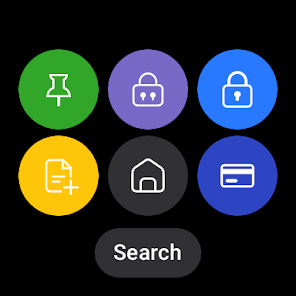
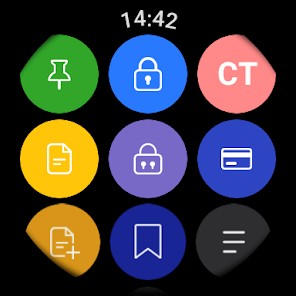
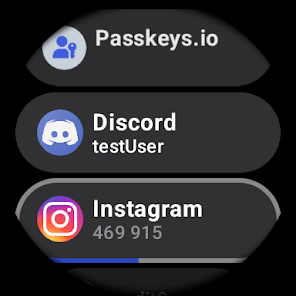
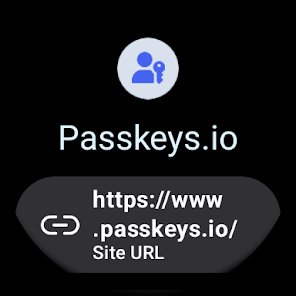
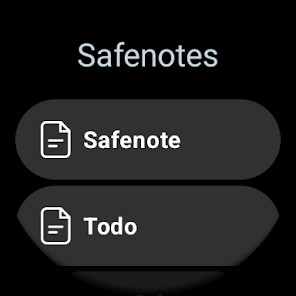
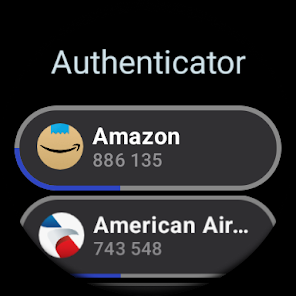
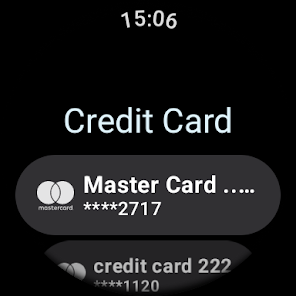
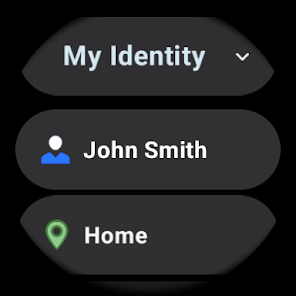
• Wear OS version available (needs companion Android app to access data).
• Tile surface for quick access is included for Wear OS version.
• The embedded RoboForm browser logs in to websites with one tap and offers to AutoSave new passwords.
• Automatically fill in passwords in apps and sites visited using Chrome or other browsers.
• AutoSave passwords directly within Chrome and supported apps, starting with Android 8.
• Keep all your passwords in one secure location.
• Arrange your go-to passwords in any order you wish using Pinned view.
• Stay organized with folders and sub-folders.
• RoboForm's password generator creates unique and hard to guess passwords for each site.
• Support for multi-step logins.
• Security Center finds your weak, re-used, or duplicate passwords.
ULTIMATE CONVENIENCE
• Your passwords are always with you. Add, view, and edit your Logins, Identities, and Safenotes from any device.
• Keep your passwords in sync across all devices and computers. Robust clients and extensions for Windows, Mac, iOS, Linux, and Chrome OS. (Premium feature).
• Import easily from all major password managers and browsers using the Windows or Mac client. CSV import and export available.
• Import passwords from Chrome on android.
• Securely share and sync changes to individual items (Premium feature).
• Appoint a trusted contact to access your data in case of Emergency (Premium feature).
• Purchase a Family plan and get up to 5 Premium accounts for one low price.
• Light and dark color themes available.
NOT JUST FOR PASSWORDS
• Securely store and edit credit cards, bank accounts, or any other personal information.
• AutoFill long checkout forms with one tap.
• Store license keys, wi-fi passwords, or any other important information using Safenotes.
• Sync Bookmarks for your favorite websites.
• Store contact information for your friends and colleagues.
SECURITY
• Your data is protected with AES 256 encryption.
• You are the only one who knows your Master Password. We don’t save or store that information anywhere, giving you complete protection.
• Two factor authentication (2FA).
• App locks after inactivity. Only you can access your data even if your device is misplaced.
• Unlock using Touch ID or PIN.
RELIABILITY
• We’ve been mastering password management for 15+ years.
• Expert reviews include the Wall Street Journal, New York Times, ZDNet, Bloomberg, Financial Times, NBC TV, ABC News and more.
• 24/7/365 email support.
• Live chat support available during US business hours.
• Loved and used by millions.
IN-APP PURCHASE TERMS
• RoboForm is free for unlimited Logins and web form fill on a single device.
• RoboForm Premium and RoboForm Family are available as one year renewable subscriptions.
• RoboForm Premium adds automatic sync across all devices and browsers, secure cloud backup, two factor authentication, secure sharing, web access, and priority 24/7 support.
• RoboForm Family: Up to 5 RoboForm Premium accounts under a single subscription.
Accessibility Services Disclosure: RoboForm offers the ability to use the Accessibility Service to augment AutoFill on older devices or in cases when AutoFill is not working correctly. When enabled, the Accessibility Service is used to look for login fields in apps and web sites. This establishes the appropriate field IDs and captions when a match for the app or web site is found and fills credentials. When the Accessibility Service is active RoboForm does not store information and it does not control any on-screen elements beyond filling credentials.
PASSWORD MANAGER
• Wear OS version available (needs companion Android app to access data).
• Tile surface for quick access is included for Wear OS version.
• The embedded RoboForm browser logs in to websites with one tap and offers to AutoSave new passwords.
• Automatically fill in passwords in apps and sites visited using Chrome or other browsers.
• AutoSave passwords directly within Chrome and supported apps, starting with Android 8.
• Keep all your passwords in one secure location.
• Arrange your go-to passwords in any order you wish using Pinned view.
• Stay organized with folders and sub-folders.
• RoboForm's password generator creates unique and hard to guess passwords for each site.
• Support for multi-step logins.
• Security Center finds your weak, re-used, or duplicate passwords.
ULTIMATE CONVENIENCE
• Your passwords are always with you. Add, view, and edit your Logins, Identities, and Safenotes from any device.
• Keep your passwords in sync across all devices and computers. Robust clients and extensions for Windows, Mac, iOS, Linux, and Chrome OS. (Premium feature).
• Import easily from all major password managers and browsers using the Windows or Mac client. CSV import and export available.
• Import passwords from Chrome on android.
• Securely share and sync changes to individual items (Premium feature).
• Appoint a trusted contact to access your data in case of Emergency (Premium feature).
• Purchase a Family plan and get up to 5 Premium accounts for one low price.
• Light and dark color themes available.
NOT JUST FOR PASSWORDS
• Securely store and edit credit cards, bank accounts, or any other personal information.
• AutoFill long checkout forms with one tap.
• Store license keys, wi-fi passwords, or any other important information using Safenotes.
• Sync Bookmarks for your favorite websites.
• Store contact information for your friends and colleagues.
SECURITY
• Your data is protected with AES 256 encryption.
• You are the only one who knows your Master Password. We don’t save or store that information anywhere, giving you complete protection.
• Two factor authentication (2FA).
• App locks after inactivity. Only you can access your data even if your device is misplaced.
• Unlock using Touch ID or PIN.
RELIABILITY
• We’ve been mastering password management for 15+ years.
• Expert reviews include the Wall Street Journal, New York Times, ZDNet, Bloomberg, Financial Times, NBC TV, ABC News and more.
• 24/7/365 email support.
• Live chat support available during US business hours.
• Loved and used by millions.
IN-APP PURCHASE TERMS
• RoboForm is free for unlimited Logins and web form fill on a single device.
• RoboForm Premium and RoboForm Family are available as one year renewable subscriptions.
• RoboForm Premium adds automatic sync across all devices and browsers, secure cloud backup, two factor authentication, secure sharing, web access, and priority 24/7 support.
• RoboForm Family: Up to 5 RoboForm Premium accounts under a single subscription.
Accessibility Services Disclosure: RoboForm offers the ability to use the Accessibility Service to augment AutoFill on older devices or in cases when AutoFill is not working correctly. When enabled, the Accessibility Service is used to look for login fields in apps and web sites. This establishes the appropriate field IDs and captions when a match for the app or web site is found and fills credentials. When the Accessibility Service is active RoboForm does not store information and it does not control any on-screen elements beyond filling credentials.
Updated on
Safety starts with understanding how developers collect and share your data. Data privacy and security practices may vary based on your use, region, and age. The developer provided this information and may update it over time.

No data shared with third parties
Learn more about how developers declare sharing

This app may collect these data types
Personal info, App activity and 3 others

Data is encrypted in transit

You can request that data be deleted
Ratings and reviews
4.5
30.6K reviews

Thomas Fisher
- Flag inappropriate
March 2, 2026
The biggest issue with this app is the syncing and app search functionalities. When I'm searching for a login that doesn't exist on my phone (bc of syncing issues), the app has a whole browser and it googles whatever you searched if it can't find a login. That has to be the single most infuriating feature. Under literally 0 circumstances would I ever want to use this app as a browser. When I'm searching, I'm looking for saved logins. Just remove the browser entirely, it is/was wasted development
3 people found this review helpful
Siber Systems Inc
March 5, 2026
Thank you very much for your feedback. We will review this as a potential option for a future update.

Rodger Beard
- Flag inappropriate
February 28, 2026
2026: These days I also seamlessly use on my phone and tablet, which has become at least 75% of my screen time. The passkeys feature is much appreciated. While passkeys are designed to be used with only one device, RF allows one passkey to be used on all devices running RF. 2019: Over time the support for Android has much improved. This is a wonderful app that I use on a half dozen PCs I use at home and work. Now it's also becoming my workhorse on my phone too.
2 people found this review helpful

Ron Holt
- Flag inappropriate
February 28, 2026
Been a customer many years and am so appreciative. It does the work of managing the passwords and I only need to remember one - the master password. How could it possibly get any easier. BTW, it not only is a password manager, but it has kept up with technology, supporting other methods of signin. Heck, it provides me with a customizable password generator so I don't have to come us with my own. This is a terrific product.
3 people found this review helpful
What’s new
- Improved Autofill security by adding iframe and webDomain detection to prevent filling fields from different URLs.
- Reworked the built-in browser AdBlock engine, replacing DNS blocking with EasyList-based filtering for better accuracy and performance.
- Fixed multiple stability issues and crashes to improve overall app reliability.
- Reworked the built-in browser AdBlock engine, replacing DNS blocking with EasyList-based filtering for better accuracy and performance.
- Fixed multiple stability issues and crashes to improve overall app reliability.
App support
phone
Phone number
+17032181851
About the developer
Siber Systems Inc.
3701 Pender Dr Ste 400
Fairfax, VA 22030
United States
+1 703-991-7935


