
Send Anywhere (Dateitransfer)
Enthält WerbungIn-App-Käufe

4,5star
347.000 Rezensionen
10 Mio.+
Downloads

Jedes Alter
info

Über diese App
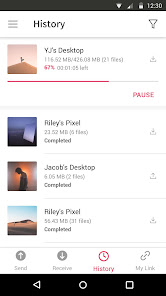
Send Anywhere: Easy, quick, and unlimited file sharing
▶ Features
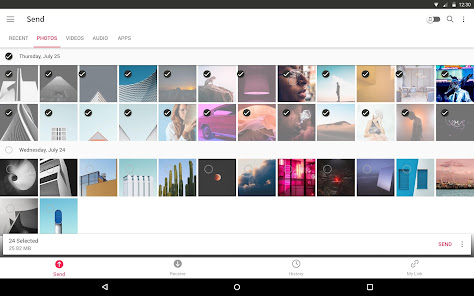
• Transfer any file type without altering the original
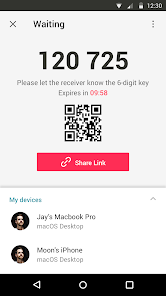
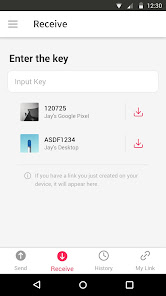
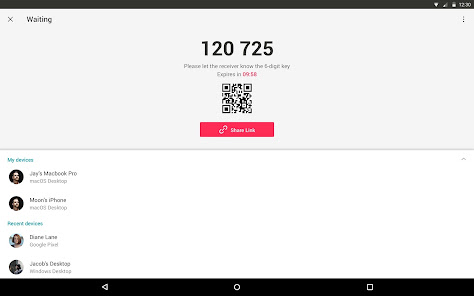
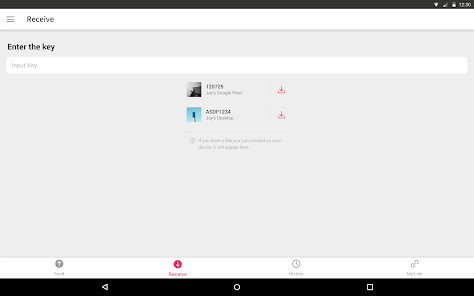
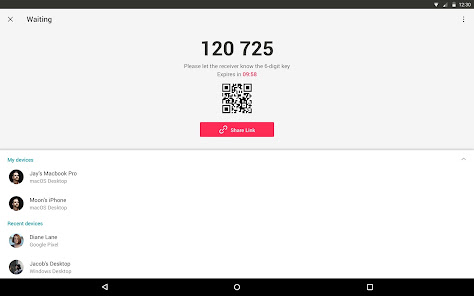
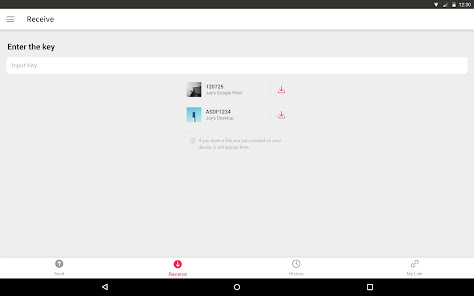
• All you need is a one-time 6-digit key for an easy file transfer
• Wi-Fi Direct: transfer without using data or the Internet
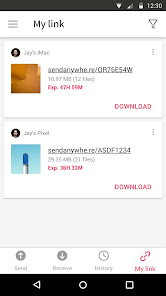
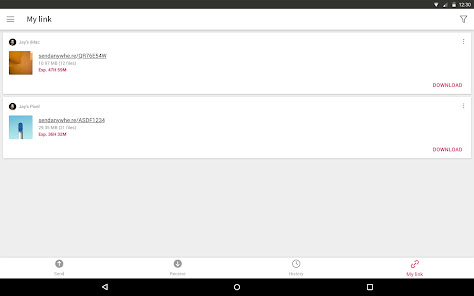
• Share files to multi-people at once via a link
• Transfer files to a specific device
• Reinforced file encryption (256-bit)
▶ When to use Send Anywhere!
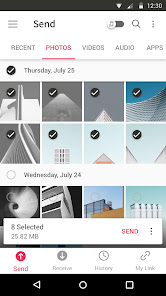
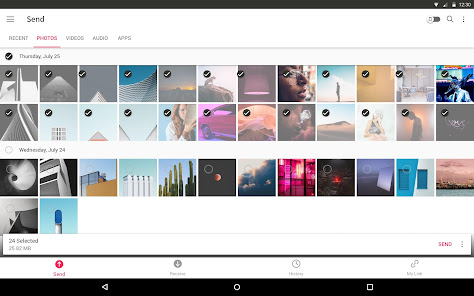
• When moving photos, videos, and music to your PC!
• When you need to send large files but you do not have mobile data or you have difficulty connecting to the internet
• Anytime you want to send files in an instant!
* While using the application if an issue or error arises, please let us know by clicking “Send Feedback” under More menu
-
APK File
• The copyright of applications sent through Send Anywhere belong to the application’s developer. If sharing an APK file conflicts with current copyright laws then all responsibility falls upon the user.
• Typically, you will not be able to share APK files between OS and Android. First check with application’s developer before cross-platform transfers.
Video Files
• Depending on the video type received, the video may not be pushed into the phone’s gallery. In this case, using a file management application will play the video.
• If you can’t play the videos received, download a different video player that is compatible with the video format.
-
To best use Send Anywhere’s convenient file sharing service, we ask user’s permissions listed below
• Write Internal Storage(Required) : To store files that are in internal storage through 'Send Anywhere'
• Read Internal Storage(Required) : To send files stored in internal storage through Send Anywhere.
• Access to location: To share files by using Wi-Fi Direct that through Google Nearby API.( Bluetooth may be turned on to find and identify near devices, so it may request Bluetooth permissions.)
• Write External Storage : To store files that are received through Send Anywhere in external storage (SD Card).
• Read External Storage : To send files stored in external storage through Send Anywhere.
• Record Audio : To recognize a sound wave and receive files.
• Read Contacts : To send contacts stored in your phone.
• Camera : For being able to receive files via a QR Code.
For more information about our terms and policies, please visit our site.
https://send-anywhere.com/terms
https://send-anywhere.com/mobile-privacy/privacy.html
▶ Features
• Transfer any file type without altering the original
• All you need is a one-time 6-digit key for an easy file transfer
• Wi-Fi Direct: transfer without using data or the Internet
• Share files to multi-people at once via a link
• Transfer files to a specific device
• Reinforced file encryption (256-bit)
▶ When to use Send Anywhere!
• When moving photos, videos, and music to your PC!
• When you need to send large files but you do not have mobile data or you have difficulty connecting to the internet
• Anytime you want to send files in an instant!
* While using the application if an issue or error arises, please let us know by clicking “Send Feedback” under More menu
-
APK File
• The copyright of applications sent through Send Anywhere belong to the application’s developer. If sharing an APK file conflicts with current copyright laws then all responsibility falls upon the user.
• Typically, you will not be able to share APK files between OS and Android. First check with application’s developer before cross-platform transfers.
Video Files
• Depending on the video type received, the video may not be pushed into the phone’s gallery. In this case, using a file management application will play the video.
• If you can’t play the videos received, download a different video player that is compatible with the video format.
-
To best use Send Anywhere’s convenient file sharing service, we ask user’s permissions listed below
• Write Internal Storage(Required) : To store files that are in internal storage through 'Send Anywhere'
• Read Internal Storage(Required) : To send files stored in internal storage through Send Anywhere.
• Access to location: To share files by using Wi-Fi Direct that through Google Nearby API.( Bluetooth may be turned on to find and identify near devices, so it may request Bluetooth permissions.)
• Write External Storage : To store files that are received through Send Anywhere in external storage (SD Card).
• Read External Storage : To send files stored in external storage through Send Anywhere.
• Record Audio : To recognize a sound wave and receive files.
• Read Contacts : To send contacts stored in your phone.
• Camera : For being able to receive files via a QR Code.
For more information about our terms and policies, please visit our site.
https://send-anywhere.com/terms
https://send-anywhere.com/mobile-privacy/privacy.html
Aktualisiert am
Was die Sicherheit angeht, solltest du als Erstes verstehen, wie Entwickler deine Daten erheben und weitergeben. Die Datenschutz- und Sicherheitspraktiken können je nach deiner Verwendung, deiner Region und deinem Alter variieren. Diese Informationen wurden vom Entwickler zur Verfügung gestellt und können jederzeit von ihm geändert werden.

Keine Daten werden mit Drittunternehmen oder -organisationen geteilt

Diese App kann die folgenden Datentypen erheben
Standort, Personenbezogene Daten und 3 andere

Daten werden bei der Übertragung verschlüsselt

Du kannst das Löschen der Daten beantragen
Bewertungen und Rezensionen
4,5
318.000 Rezensionen

Sofiya K
- Als unangemessen melden
31. Januar 2026
Anfangs klappt es gut aber es fängt an die Bilder/Videos nur Teilweise zu senden und viele erst gar nicht. Wenn es dann mal klappt, sieht man diese oft nicht in verschiedenen Apps.
1 Person fand diese Bewertung hilfreich
Rakuten Symphony Korea, Inc.
6. Februar 2026
Hello! Transfers may experience delays or cancellations due to your network conditions. Check your network environment (cable, router, VPN, etc.) and ensure a stable internet connection. If the issue persists, kindly provide us with the exact key or link via [Send Feedback] within Send Anywhere app.

Willi Knoch
- Als unangemessen melden
5. März 2026
Dateitransfer zwischen Windows und Android endet immer mit Fehler, hab keine Lust, lange zu probieren, App wird gleich wieder gelöscht .
Rakuten Symphony Korea, Inc.
6. März 2026
Hello! Transfers may experience delays or cancellations due to your network conditions. Check your network environment (cable, router, VPN, etc.) and ensure a stable internet connection. If the issue persists, kindly provide us with the exact key or link via [Send Feedback] within Send Anywhere app.

Scherpi76
- Als unangemessen melden
- Rezensionsverlauf anzeigen
9. Dezember 2025
Bedienung prinzipiell recht unkompliziert, aber eine App inklusive aller Daten von Handy zu Handy zu übertragen funktionierte nicht, obwohl es angeblich übertragen wurde. Funktioniert also nur eingeschränkt.
1 Person fand diese Bewertung hilfreich
Rakuten Symphony Korea, Inc.
12. Dezember 2025
Hello! You can transfer an app (APK file) using Send Anywhere app for Android. However, the inclusion of app data in the transfer is subject to the settings determined by the app developer. Please note that even if the transfer is successful, the ability to include the app data is not within Send Anywhere's control.
Neuerungen
Version 23.2.11
What’s new
• Other bug fixes and performance improvements
If you have any questions, please go to 'More' in the app and send us your feedback. Thanks!
What’s new
• Other bug fixes and performance improvements
If you have any questions, please go to 'More' in the app and send us your feedback. Thanks!
Support für diese App
Informationen zum Entwickler
(주)라쿠텐심포니코리아
사평대로 368, 10층, 11층
(서초동)
서초구, 서울특별시 06611
South Korea
+82 70-8805-0745


